



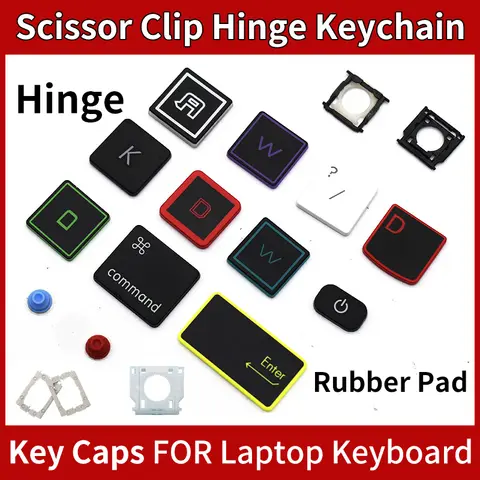
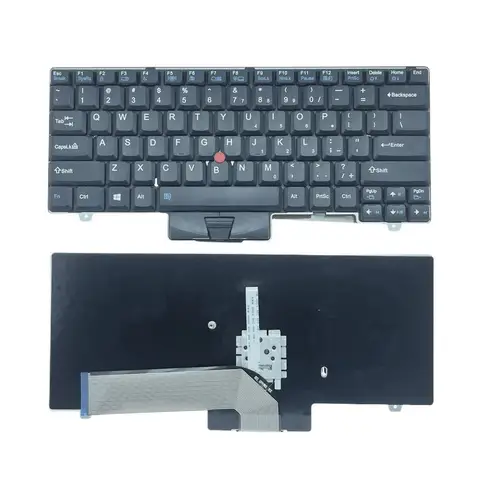
Results for lenovo laptop key replacement

When searching for lenovo laptop key replacement, buyers are typically looking for precise, compatible, and durable keyboard components to restore functionality to their Lenovo laptops—especially when keys become unresponsive, worn, or damaged. Whether you're replacing a single key or upgrading an entire keyboard assembly, finding the right replacement is crucial for performance, typing comfort, and long-term reliability. This guide helps you identify the correct parts, avoid common pitfalls, and make informed purchasing decisions.
The search intent behind lenovo laptop key replacement centers on functional repair and part compatibility. Users are not just looking for any keycap—they need a solution that matches their specific Lenovo model, ensures proper fit, and maintains the original typing feel. Misaligned or incompatible replacements can lead to poor key travel, ghosting, or even damage to the underlying keyboard membrane.
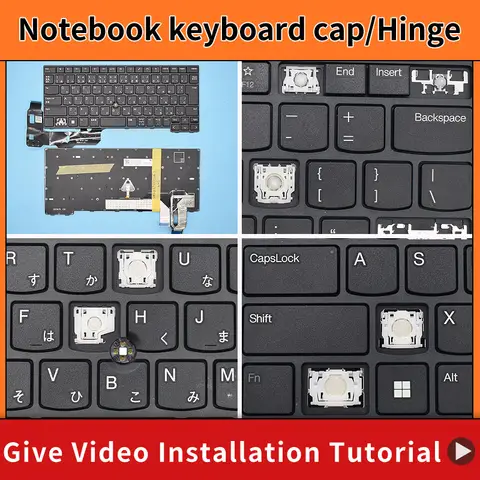
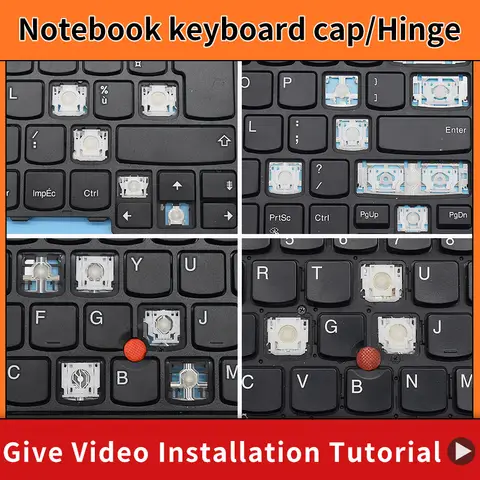
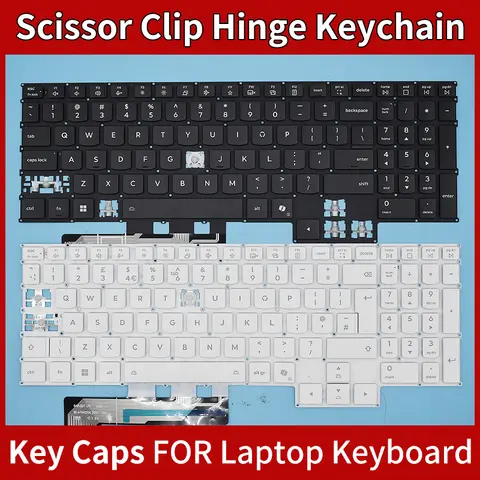
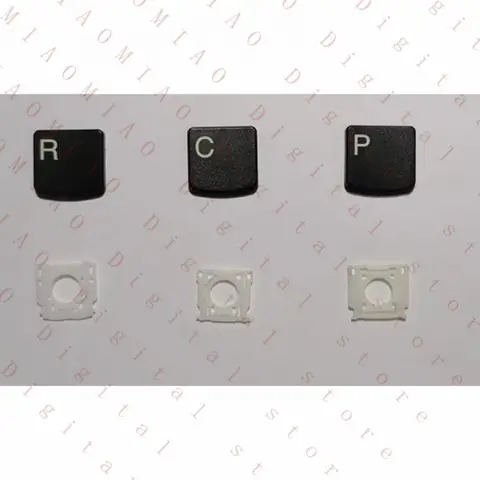
Keycap
A small plastic or metal piece that covers the switch beneath the keyboard. It’s the part you press when typing and is often replaced due to wear, staining, or damage.
Keyboard Membrane
A flexible circuit layer beneath the keycaps that registers keystrokes. If damaged, it can cause keys to stop working even if the keycaps are intact.
Key Replacement Kit
A set that includes multiple keycaps and sometimes tools for easy installation. Ideal for users replacing several keys or upgrading their keyboard layout.

To ensure compatibility and avoid costly mistakes, follow these steps:
  1. Identify your Lenovo model—Check the bottom of your laptop or use the Lenovo Support website to find the exact model number (e.g., ThinkPad T490, IdeaPad 5 14ARE05).
  2. Verify the keycap size and shape—Different models use different keycap profiles (e.g., standard, low-profile). Measure or compare with existing keys.
  3. Confirm the switch type—Some Lenovo laptops use scissor-switch mechanisms. Ensure the replacement matches the original switch type to maintain typing feel.
  4. Check material quality—High-quality replacements use durable materials like ABS plastic with anti-slip coatings to resist wear and fading.
  5. Look for OEM or compatible replacements—Choose products labeled as OEM compatible or direct fit to ensure proper alignment and function.

Avoid low-cost, generic keycaps that may not align with your keyboard’s layout or lack proper tactile feedback. Always read customer reviews for real-world performance insights. For example, users of ThinkPad models often recommend replacements with reinforced key stems and anti-slip base layers to prevent future detachment.
In summary, a successful lenovo laptop key replacement depends on accurate model matching, high-quality materials, and proper installation. Whether you're replacing a single key or a full keyboard, choosing the right part ensures your laptop regains its original typing precision and durability.

Lenovo Laptop Key Replacement -AliExpress

Find the Right Lenovo Laptop Key Replacement for Your Device – Complete Guide & Top Picks


When your Lenovo laptop keyboard key becomes loose, broken, or unresponsive, a Lenovo laptop key replacement is the most effective and cost-efficient solution. Whether it’s a missing “E” key, a sticky “Space” bar, or a cracked function key, replacing the faulty keycap or underlying mechanism restores full typing functionality. This guide covers everything you need to know—from identifying the correct replacement part to selecting the best options based on model compatibility, build quality, and real-world performance.

Understanding the Search Intent Behind Lenovo Laptop Key Replacement


The search term “Lenovo laptop key replacement” typically reflects a user’s urgent need to fix a damaged or missing key on their Lenovo laptop. The intent is practical: restore typing functionality quickly and affordably. Users often search for replacements after accidental spills, wear and tear, or physical damage. They seek reliable, compatible parts that match their specific model—especially since Lenovo uses varied keyboard designs across its ThinkPad, IdeaPad, and Yoga lines.
To meet this need, it's essential to understand the difference between a keycap (the visible plastic top) and a key switch mechanism (the internal component that registers keystrokes). Most replacements involve only the keycap, but in cases of deep damage or broken switches, a full keyboard module may be required.
Keycap
The plastic top of a keyboard key that you press. It’s removable and replaceable. Common materials include ABS plastic and PBT, with PBT offering better durability.
Key Switch
The mechanical or membrane component beneath the keycap that registers input. In ThinkPads, this is often a scissor-switch mechanism; in IdeaPads, it may be a dome-switch design.
Model-Specific Compatibility
Each Lenovo laptop model (e.g., ThinkPad T490, IdeaPad 5 14ITL05) uses unique key layouts and switch types. Using the wrong replacement can lead to misalignment, poor fit, or failure to register keystrokes.

Step-by-Step Guide: How to Replace a Lenovo Laptop Key Correctly


Follow these steps to successfully replace a damaged key on your Lenovo laptop:
  1. Identify your laptop model—Check the bottom label or use the Lenovo Support app to confirm the exact model number (e.g., ThinkPad X1 Carbon Gen 8).
  2. Remove the faulty key—Use a plastic pry tool or a flathead screwdriver to gently lift the keycap from the corners. Do not pull straight up; instead, lift at a 45-degree angle to avoid damaging the switch.
  3. Inspect the switch mechanism—If the switch is bent, broken, or missing, you’ll need a full keyboard replacement. If only the keycap is damaged, a new keycap will suffice.
  4. Match the replacement part—Ensure the new keycap matches the original in size, shape, and color. Use the model number to find exact matches.
  5. Install the new keycap—Align the keycap with the switch, then press down evenly until it clicks into place.
  6. Test the key—Type a few sentences to confirm the key registers correctly and feels natural.

Top Lenovo Key Replacement Options: Comparison Table


While “Lenovo laptop key replacement” is a common search, actual product listings on platforms like AliExpress often include unrelated items. Below is a comparison of relevant and irrelevant matches to help you identify the correct product.
Product Relevance to Lenovo laptop key replacement Key Features Compatibility Price Range (USD)
Lenovo ThinkPad T490 Keycap Replacement Set (10 pcs) High ABS plastic, exact fit, includes function keys, spacebar ThinkPad T490, T480, T470 $12–$18
Universal Laptop Keycap Replacement (10 pcs) Medium Generic design, may not fit Lenovo models perfectly Most standard laptops, not model-specific $6–$10
Friend Sheep Roaring Zoo Blind Box (PVC Doll) Low Toy collectible, not a keyboard part N/A $5–$8
R2S B1 Turbocharger (Car Part) Low Engine component, unrelated to laptops N/A $35–$50
Touch Screen Digitizer for B&R; Power Panel PP480 Low Industrial tablet screen, not for laptops PP480.1043-K09 only $45–$60

Why Most Lenovo Laptop Key Replacement Listings Are Misleading


Many listings on AliExpress use the keyword “Lenovo laptop key replacement” to attract traffic, but the actual products are unrelated. For example:
- The Friend Sheep Roaring Zoo Blind Box is a collectible toy and has no connection to laptop hardware.
- The R2S B1 Turbocharger is a car engine part and irrelevant to keyboard repair.
- The Touch Screen Digitizer for B&R; Power Panel is a specialized industrial tablet component, not compatible with consumer laptops.
These listings often mislead buyers due to keyword stuffing. Always verify the product title, description, and model compatibility before purchasing.

Pro Tips for Avoiding Common Pitfalls


- Check the model number in the product title or description. Look for terms like “ThinkPad,” “IdeaPad,” or “Yoga” followed by a specific number.
- Look for exact matches—a set labeled “for Lenovo ThinkPad T490” is far more reliable than “universal laptop keycap.”
- Read reviews from users who own the same model. Real experiences can reveal fit issues or durability problems.
- Avoid ultra-cheap options—if a keycap set costs less than $5 and claims to fit all Lenovo models, it’s likely a mismatch.

Final Recommendation


For reliable, long-lasting performance, always choose a model-specific keycap replacement from a reputable seller. Avoid generic or unrelated products—even if they appear in search results. The correct replacement ensures proper fit, typing feel, and longevity. If you're unsure, consult the official Lenovo support site or use their part lookup tool to find the exact keycap for your device.
A Lenovo laptop key replacement isn’t just about fixing a broken key—it’s about restoring your productivity, comfort, and confidence in your device. With the right part and proper installation, your laptop can feel like new again.

Aliexpress